It is 8pm. You are eating dinner, watching a show, or trying to fall asleep, and your phone lights up with a work email or a message from a colleague. Your stomach tightens. You tell yourself you will just glance at it — and twenty minutes later you are mentally back at your desk, the evening you were supposed to be having quietly gone.
If this happens regularly, you are not alone, and the solution is not simply willpower. It is digital boundaries for work notifications — specific, practical limits that protect your time outside work hours, paired with the right language to communicate them clearly.
This article explains why after-hours notifications are so damaging, how to set boundaries that actually hold, and gives you a ready-to-use script for communicating them to your manager and colleagues.
Why work notifications outside hours are so damaging
It might seem like a quick glance at a notification costs very little. The research on this tells a different story.
The brain cannot easily compartmentalise
Once you read a work message, your brain begins processing it — even if you do not respond immediately. This is sometimes called the Zeigarnik effect, where unfinished tasks occupy mental space until they are resolved. A single notification can trigger problem-solving, worry, or planning that continues long after you have put the phone down.
It prevents genuine psychological detachment from work.
Psychological detachment—mentally switching off from work during non-work hours—is one of the most well-established predictors of recovery from work stress and protection against burnout. Each notification you engage with outside work hours interrupts this detachment, regardless of how briefly you interact with it.
It disrupts sleep and rest
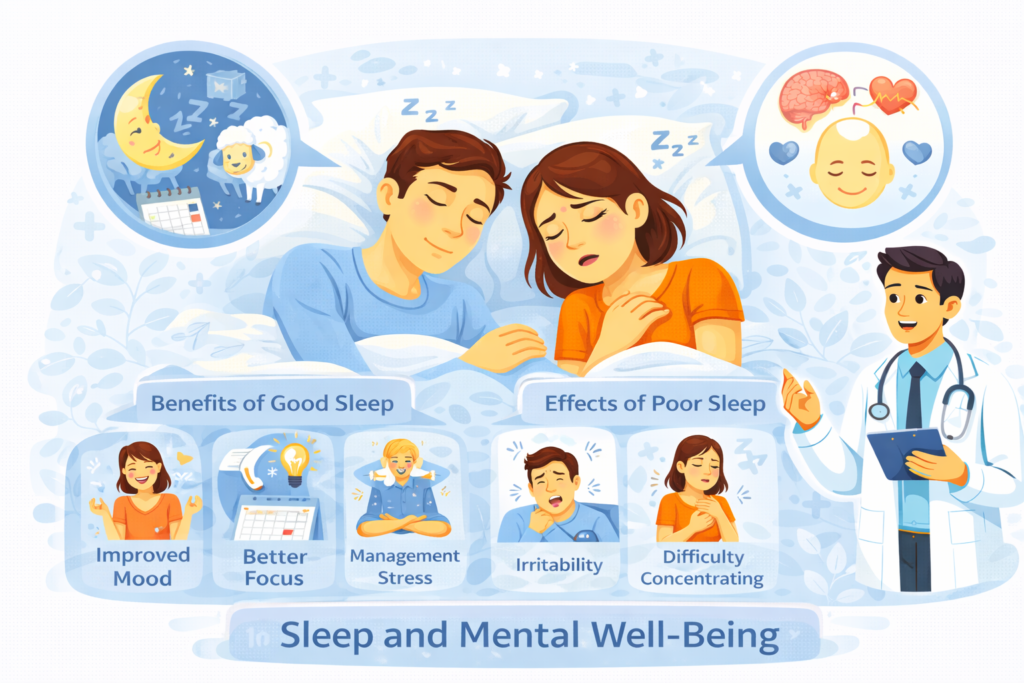
Notifications received in the evening frequently trigger anxious thoughts that interfere with falling asleep, and the blue light from checking a phone further disrupts the body’s natural sleep signals. Poor sleep, in turn, reduces your capacity to manage stress the following day, creating a cycle that compounds over time.
It creates a culture of availability that benefits no one long-term
When notifications go unmanaged, an implicit expectation forms that immediate responses are normal, even outside contracted hours. This expectation rarely makes anyone more productive — research on after-hours availability consistently links it to higher exhaustion and lower long-term performance, not greater output.
Setting digital boundaries for work notifications: where to start
Effective boundaries combine two things — practical technical changes and clear communication. Neither works particularly well alone. Turning off notifications without communicating the change can create confusion or the appearance of unresponsiveness. Communicating a boundary without the technical change to support it leaves you vulnerable to breaking it the moment a notification appears.
Step 1: Decide your actual boundary
Before changing any settings, decide specifically what your boundary is. Vague intentions like “I want to be less available” rarely hold. Specific boundaries do. Consider:
- What time do notifications stop each evening, and what time do they resume?
- Are weekends fully off-limits, or only certain hours?
- Is there a genuine emergency exception, and if so, what specifically qualifies and through what channel?
Step 2: Make the technical changes
Most smartphones and work communication tools allow scheduled notification silencing.
- set a scheduled “Do Not Disturb” or “Focus” mode on your phone that activates automatically each evening and on weekends
- adjust notification settings within work apps such as Slack, Teams, or email specifically, rather than relying solely on phone-wide settings
- remove work email and messaging apps from your phone’s home screen, or delete them from your personal phone entirely if your role allows it
- set an auto-response on email for after-hours messages indicating when you will respond
Removing the temptation to check is significantly more effective than relying on willpower in the moment a notification appears.
Step 3: Communicate the boundary clearly
This is the step many people skip, often out of discomfort or fear of seeming difficult. Clear, calm communication is what allows the boundary to actually function without creating confusion or resentment from colleagues who do not know it exists.
A script for communicating digital boundaries to your manager
Use or adapt the following script when speaking with your manager about establishing clearer after-hours boundaries.
In person or video call:
“I wanted to talk about my availability outside work hours. I’ve noticed that responding to messages in the evening has been affecting my ability to switch off and recover, which I think is also affecting how focused I am during the workday. I’d like to set [time] as my cutoff for checking messages, with [agreed exception, e.g. urgent client issues flagged by phone call] as the exception. Is that something we can agree on?”
If your manager seems unsure or resistant:
“I understand there might be times something feels urgent. I want to make sure genuinely urgent things still reach me — could we agree on what counts as urgent and the best way to flag that, so everything else can wait until the next working day?”
This framing positions the boundary as something that supports both your wellbeing and the team’s ability to distinguish real urgency from routine communication — rather than presenting it purely as a personal request.
A script for communicating with colleagues
Colleagues often need a brief, low-pressure heads-up rather than a formal conversation.
Via team chat or email:
“Just a heads up — I’ll be stepping back from messages after [time] each day and on weekends, so I can properly switch off. I’ll respond first thing the next working day. If something is genuinely urgent, [agreed method, e.g. call me directly].”
If someone messages you after hours despite the boundary:
“Hey, I saw this come through — I’m not checking messages right now, but I’ll get back to you first thing tomorrow morning.”
Sending this the next morning, rather than responding in the moment, reinforces the boundary through your actual behavior rather than just your stated intention.
Read more about the conversation around languishing vs. depression, which has grown significantly in recent years.
A script for an automatic email response
An auto-response provides a passive, consistent way to set expectations without needing to repeat the boundary manually each time.
“Thank you for your email. I check messages between [hours] on working days. I will respond to your message during that window. If this is urgent, please [contact method].”
Keep the tone neutral and professional rather than apologetic. There is no need to justify the boundary extensively — stating it clearly and consistently is what makes it effective.
Handling pushback and discomfort
Setting a new boundary, particularly in a workplace culture where after-hours availability has become normalised, can initially generate some friction.
Expect some initial adjustment
Colleagues and managers accustomed to your previous availability may take a little time to adjust their expectations. This is normal and does not necessarily mean the boundary is unreasonable — it often simply reflects an established pattern that has not been questioned before.
Hold the boundary consistently
Boundaries that are enforced inconsistently — held one week, dropped the next under pressure — tend to erode quickly because they signal that the boundary is negotiable on a case-by-case basis. Consistency, even when it feels uncomfortable initially, is what ultimately makes a boundary effective and respected over time.
Separate the boundary from your performance
It can help to remember that a reasonable after-hours boundary is not a reflection of poor performance or commitment. Evidence on burnout and productivity consistently shows that sustainable boundaries support better performance over time, not worse. Framing the boundary this way — to yourself and to others — supports holding it with less guilt.
For more on the deeper exhaustion that comes from carrying too much without adequate boundaries, read our article on The Mental Load: Why Moms Are Exhausted Before Noon (And How to Share It).
What to do if your role genuinely requires after-hours availability
Some roles do involve legitimate emergency response needs outside standard hours. If this applies to you, boundaries can still be meaningfully tighter than blanket, unstructured availability.
- clarify exactly what qualifies as an emergency requiring after-hours contact, in writing if possible, so the definition is shared rather than left to individual interpretation
- establish a specific emergency contact channel, such as a direct phone call, separate from general notifications, so non-urgent messages do not require the same level of attention
- if your role involves rotating on-call responsibilities, ensure genuine off-call periods are fully protected without any expectation of checking messages
- discuss with your manager whether after-hours availability is reflected appropriately in your role, compensation, or workload, particularly if it is frequent
When digital boundaries are not enough
If you have implemented clear boundaries and consistent communication but still feel persistently anxious, exhausted, or unable to switch off mentally even when your phone is silent, this may reflect a deeper pattern worth addressing directly.
Seek support if:
- you feel unable to relax even during designated off hours, regardless of whether notifications are present
- anxiety about work persists during evenings and weekends despite boundaries being in place
- you notice signs of burnout such as persistent exhaustion, cynicism about work, or reduced sense of accomplishment
- your workplace culture actively discourages or penalises reasonable boundary-setting despite your efforts
A therapist can help address the underlying anxiety that sometimes persists even after practical boundaries are in place, and can also help you think through whether a workplace conversation about culture, rather than just personal boundaries, is needed.
The Mind charity’s guide on burnout provides further detail on recognising and addressing chronic work-related exhaustion.
Key Takeaways
- After-hours work notifications interrupt psychological detachment from work, disrupt sleep, and contribute to burnout, even when interactions are brief.
- Digital boundaries for work notifications work best when paired with both technical changes — scheduled silencing, app adjustments — and clear, direct communication.
- Effective boundary scripts state the specific boundary, acknowledge genuine urgency exceptions, and avoid excessive justification or apology.
- Auto-responses provide a passive, consistent way to reinforce boundaries without needing to repeat them manually each time.
- Initial pushback or discomfort when establishing a new boundary is normal and does not indicate the boundary is unreasonable.
- Consistency in holding a boundary, even under initial pressure, is what makes it effective and respected over time.
- Persistent inability to switch off despite practical boundaries may indicate burnout or anxiety that benefits from professional support.
Conclusion
The buzz of a work notification at 8pm carries more weight than its brief appearance suggests. It interrupts rest, disrupts detachment, and quietly normalises an expectation of constant availability that serves no one well over time.
Setting digital boundaries for work notifications is not about being less committed or less responsive. It is a deliberate, practical decision to protect the recovery time that makes sustainable performance possible in the first place.
The scripts in this article give you the language. The technical steps give you the structure. What remains is simply starting — choosing your cutoff time, making the change, and communicating it clearly. Your evenings, and the people in them, are worth protecting.
Medical Disclaimer: The information on this page is provided for educational and informational purposes only and is not intended as medical advice. It should not replace consultation with a qualified healthcare professional. For full details, please read our Disclaimer.